Staff Rostering Software
Flexible Ultra Fast Staff Scheduling
Create Roster
Publish Roster
Simplify Your Operations
Job Analysis & Cost Control
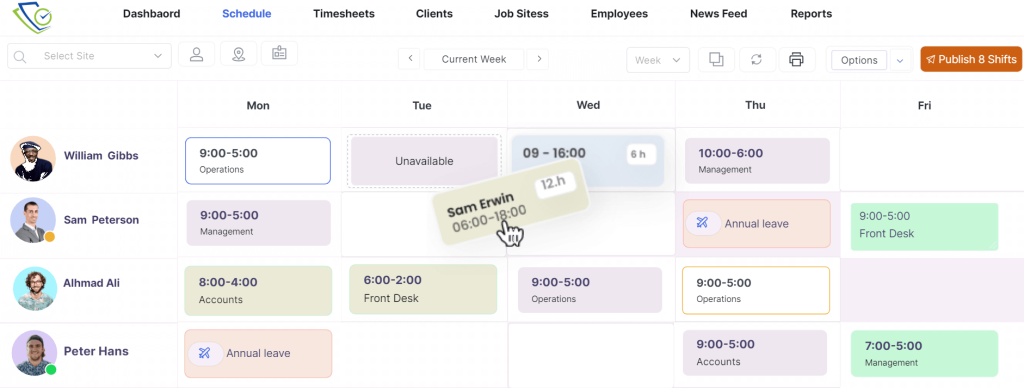
Drag & Drop Rostering
Easily Assign, Copy/duplicate and move shifts using drag and drop features. Save time and effort.
Staff Rostering Software
Schedule Smarter, Not Harder
Lock Your Rosters
Concerned about unauthorized edits? ClickTime’s auto-lock feature automatically secures published rosters, ensuring accuracy and saving valuable time. Your schedules stay protected, consistent, and always up to date.
Roster Conflicts & Double Booking
Prevent overlapping shifts and double bookings using smart automation that validates every assignment in real time, reducing manual oversight and improving scheduling accuracy
Smart Scheduling Starts with Knowing Your Team
Get full visibility into employee availability, skill sets, and preferred working days.
Push Live Rosters to Staff

Instantly distribute rosters to your team through the mobile app.

Streamline Shift Management by Allowing Shift Acceptance or Rejection

Instantly notify your team of any scheduling changes.

Send finalized rosters to clients instantly via email or secure online access.
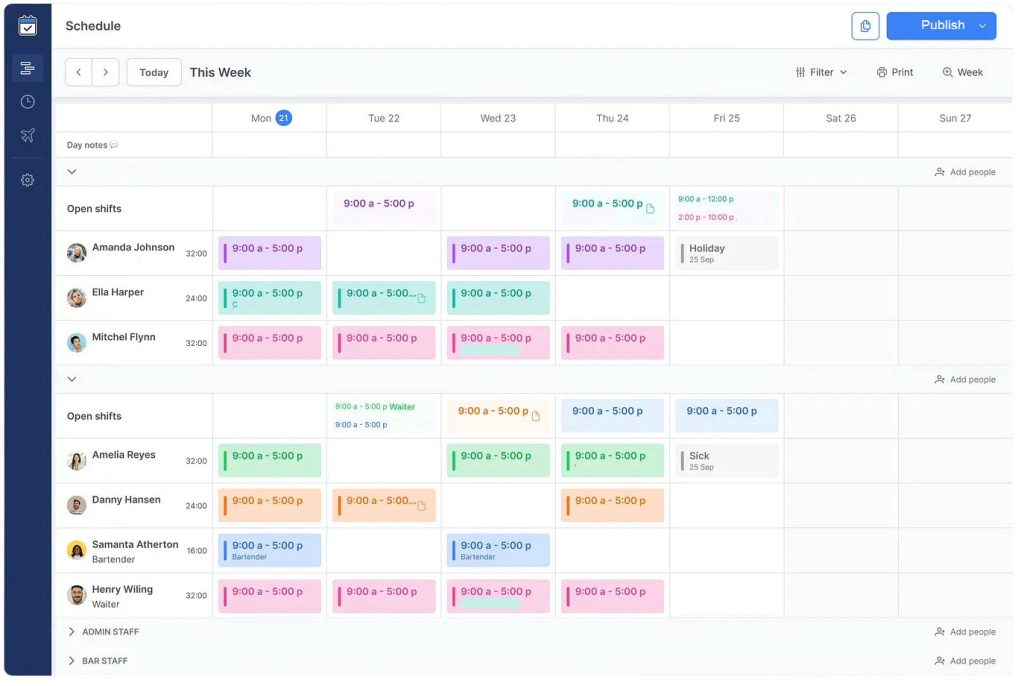
Gain visibility on employee shifts and holidays

Adjust how you visualize employee rosters for smarter scheduling decisions.

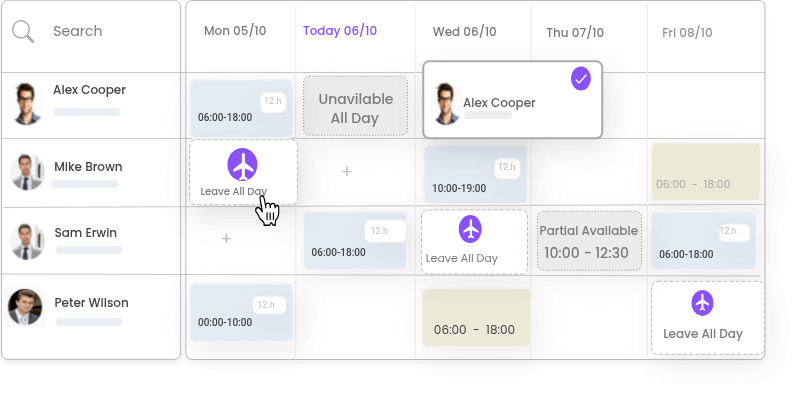
Easily view employee availability and leave requests directly within the scheduling interface. This real-time information empowers you to make informed decisions & avoid scheduling conflicts.
When spreadsheets fall short, ClickTime delivers complete workforce solutions.
Recurring Shifts patterns
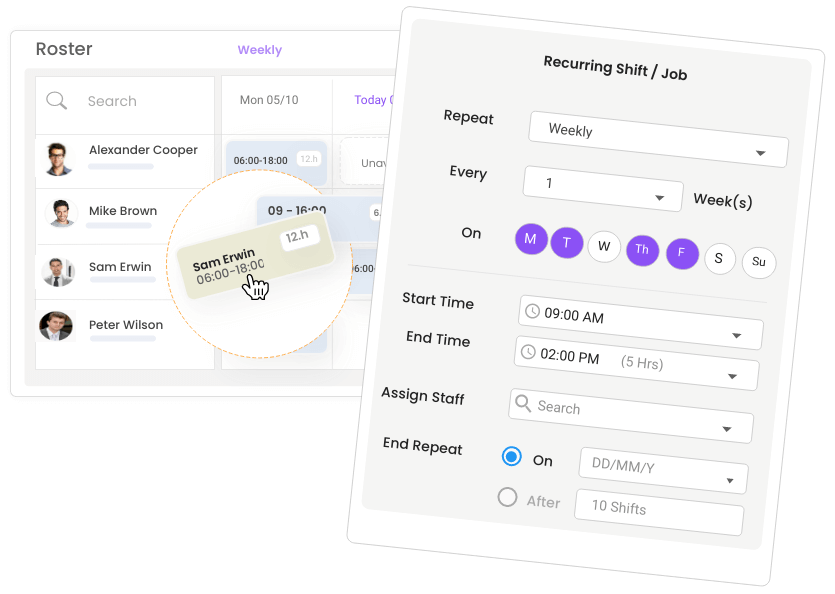
Create shift cycles that reflect your workflow—our platform makes it simple to manage recurring schedules.
Quickly fill a shift or find a substitute
Easily identify suitable replacements when someone can’t make their shift—no delays, no guesswork.
Advanced Fatigue Management
Maintain safe and compliant schedules by enforcing limits on daily hours, weekly shifts, and consecutive workdays.
Break Time Deduction
Apply custom break rules that align with your award conditions and operational standards.
All the features you expect and more
Streamline your daily rostering with powerful tools designed for full control and smarter planning.
Repeatable Scheduling Cycles
Schedule shifts without limits
Easily manage seasonal peaks and recurring rosters with automated scheduling tools that keep your workforce balanced and your operations running smoothly.
Manage Your Roster
Manage your roster anytime, anywhere—add, edit, delete, and publish shifts directly from your mobile device.
Timesheet Management
Access, update, and manage staff timesheets with full approval control.
Quickly Check Attendance.
Track attendance, early departures, site exits, and more with full visibility across your roster.
Staff Leave & Availability
Access leave requests and availability insights to make informed scheduling decisions.
Leave Management
Empower your team with mobile leave requests and simplify scheduling with built-in visibility into who’s available and who’s off. It’s hassle-free for employees and smarter for managers.
Document Sharing
Ensure your team stays informed and compliant with ClickTime’s Document Hub. Upload and share key resources like SOPs, WHS guidelines, and company policies—all in one secure location.
Automated shift reminders
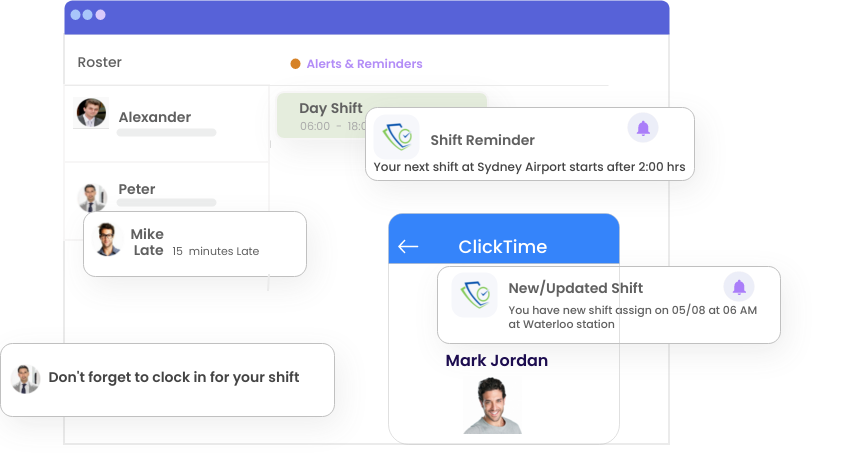
No more excuses, employees are automatically reminded by email & mobile push notification when they have upcoming shifts.
Shift Confirmation
Publish and assign shifts, and have employees accept or decline them via ClickTime mobile app. Simplify your scheduling and streamline operations.
Shift Change History
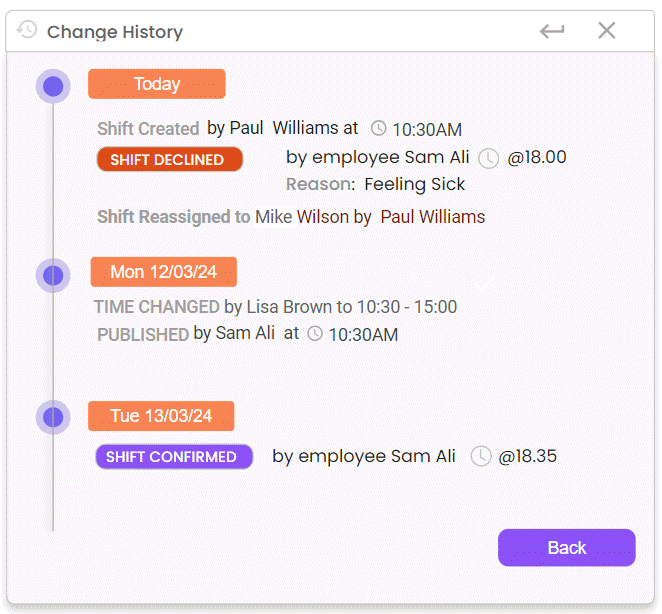
Using Shift History, you can find out when a shift was created, who assigned it, when it was published, when it was changed and who completed the actions.
Check ClickTime Blogs
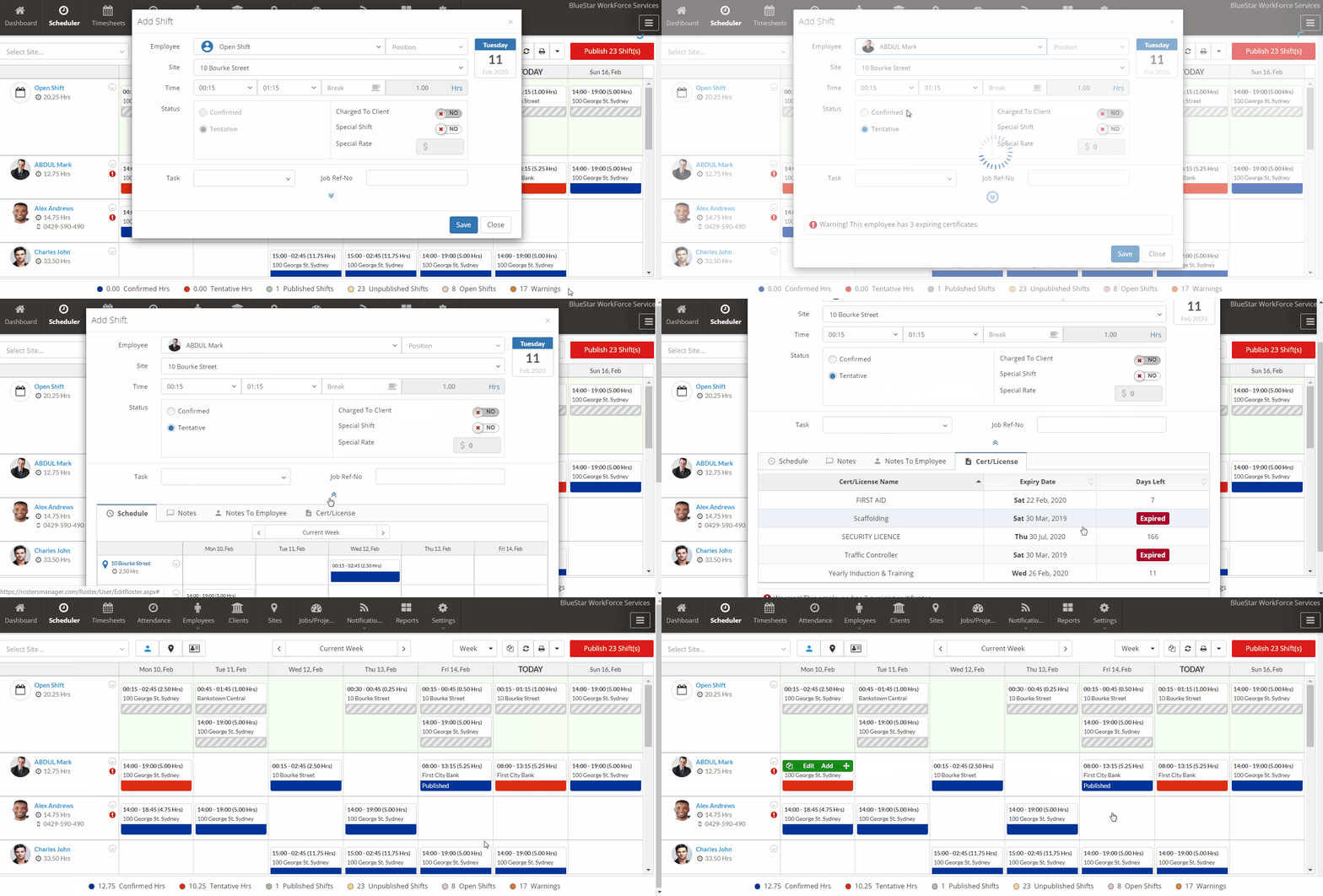
Avoid compliance risks—get instant alerts when scheduling staff with expiring licenses or certifications.